
Tour 01
Enterprise knowledge
Find an approved policy, retrieve relevant context and prepare a useful answer.
Take this tourProduct tour
Choose a short tour or step through one of the deeper workflow examples. Each one shows where information comes from, what the system does and where a person stays involved. The examples are representative, so there is no invented customer story behind them.
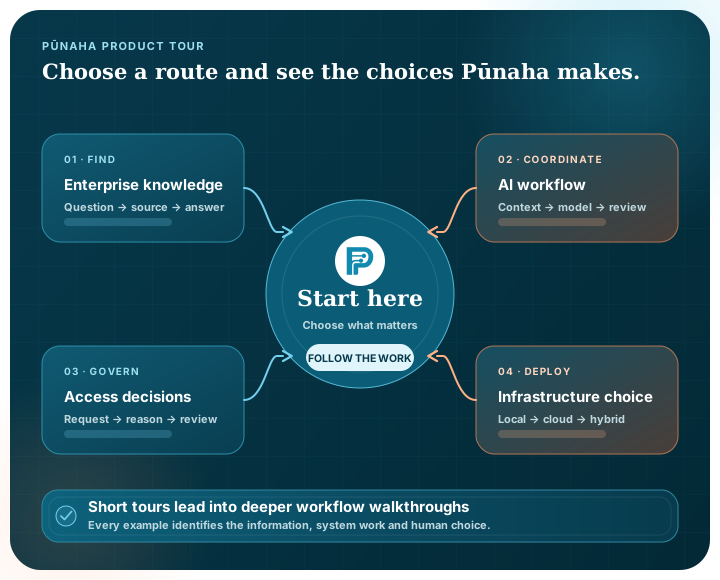
Choose a route
Each route uses a different mix of knowledge, models, review points and controls, but the way through the work always remains understandable.
Tour 01
Find an approved policy, retrieve relevant context and prepare a useful answer.
Take this tourTour 02
Gather evidence, use AI assistance and keep a subject-matter reviewer at the decision point.
Take this tourTour 03
Use local and external model deployments at different stages, then merge the results.
Take this tourTour 04
Retrieve approved guidance and prepare a response for a person to review before use.
Take this tourExplore
Follow access from a named resource and exact action through to an explainable decision and formal review.
Explore access governanceExplore
See how one executable can run all services together or support separate service pools.
Explore deployment choicesDeep dive
Inspect seven-stage fictional workflows, then watch or download their narrated videos and scripts.
Open the showcaseAsk Pūnaha
Choose a starting question and see how Pūnaha uses approved information to build its response.
Guided demonstration · Not a live AI response. No information is sent or saved.
Guided answer
Pūnaha runs on customer-controlled infrastructure. The right service shape depends on your security boundaries, operating model and integration requirements.
Guided answer
Pūnaha searches approved connected knowledge, retrieves relevant context and provides supporting sources for a person to review. The source remains visible; the answer is not presented as automatically correct.
Guided answer
Yes. Local and external model deployments can be configured for different stages of a workflow, with their results brought together for the next step.
Guided answer
A workflow can pause at a review or decision point when human judgement is required. Approval is optional, so an appropriate governed process can continue automatically.
Guided answer
Use a CMMN-based adaptive case when evidence, events and professional judgement determine the next appropriate work. Repeatable parts of the case can still call published workflows and decisions.
Guided answer
Developers can connect knowledge and models, configure visual workflow modules, define BPMN-based processes and CMMN-based cases, and inspect the resulting execution state.
Guided answer
Yes. Pūnaha can apply an exact action to a named resource for a person, group or service. The effective-access view explains why the final decision was allowed or denied.
Guided answer
Yes. The same executable can run all enabled services together or selected control, workflow, AI and browser-facing services in separate pools. The chosen topology still needs environment-specific acceptance testing.
Guided answer
No. This guided demonstration uses approved public Pūnaha content and representative product patterns. It does not present customer case studies, testimonials or invented results.
Have a different question? Bring it to a private demonstration.
What to notice
A workflow retrieves from the approved knowledge store for that process.
Each model step refers to a supported local or external deployment selected for the task.
Approval can pause the workflow when a person needs to review or decide.
A named resource can have exact actions for people, groups and services, with an explanation of the final decision.
Use a repeatable BPMN-based process or a CMMN-based case according to how predictable the work really is.
The platform runs on customer-controlled infrastructure using an all-in-one or separated service shape.
No. They are product tours based on representative workflow patterns. Pūnaha does not currently present public customer case studies or invented results.
Yes. The public tours explain common patterns. A private demonstration can focus on the sources, model choices, review points and outcome you want to evaluate.
No. Approval is available when the process requires human judgement. A workflow can also continue automatically where that is suitable and governed.
Tell us what people need to find, which systems or models are involved and where someone needs to make a decision.