
Free to use
There is no software licence fee.
Simple pricing
There is no software licence fee. Register each installation after setup, then renew it once a year at no cost for as long as you need it. You can register as many installations as you need.
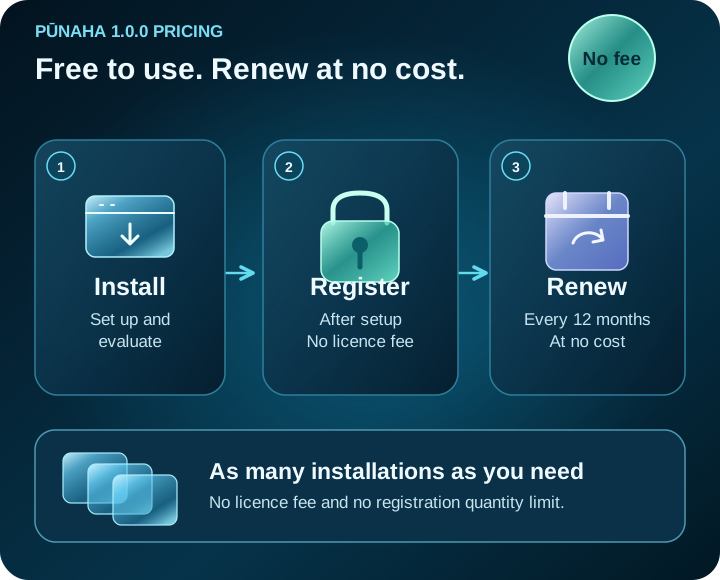
Pricing at a glance
The same terms apply whether you are evaluating one installation or running several.
There is no software licence fee.
Each independent installation needs to be registered.
Annual renewal is provided at no cost.
Register as many installations as your organisation needs.
How it works
Choose the installer for your operating system and follow the installation guide.
Use the initial 720 powered-on hours to evaluate the product before registration is required.
Register after setup. Each independent installation is registered separately.
Renew the 12-month licence at no cost for as long as you need it.
What is included
The licence covers the Pūnaha 1.0.0 software. You provide the infrastructure and any third-party products you choose to connect. Optional support is available separately.
Your organisation remains responsible for the terms and costs of its hardware, operating systems, databases, cloud services, AI providers and connected business systems.
No software licence fee, including annual renewal.
Infrastructure and third-party services remain under their own terms and pricing.
Common questions
No. Pūnaha 1.0.0 is free to use. Registration is still required for each independent installation.
No. Each installation includes an initial allowance of 720 powered-on hours. Register the installation after setup when you are ready to continue using it.
As many as you need. Register each independent installation after setup.
Renew the licence for another 12 months at no cost. You can repeat that annual renewal for as long as you need the installation.
No. The licence covers the Pūnaha 1.0.0 software. Hardware, operating systems, databases, cloud services, AI providers, optional support and other connected products remain separate.
Download the production release, follow the setup guide and evaluate Pūnaha before registering the installation.